The Complete Guide to the WhatsApp Business API 2026
The free WhatsApp Business App works well for a single phone and manual chats. But it fails fast when your business needs automation, team collaboration, or mass communication. The WhatsApp Business API is the enterprise-grade solution. It connects WhatsApp directly to your backend systems — CRMs, e-commerce platforms, and call centers. It replaces phone-dependent workflows with scalable, server-to-server communication.
This guide covers everything: what the API is, how it works, the latest 2026 features including Lite Marketing Messages, and exactly how to choose the right Business Solution Provider (BSP).
Table of Contents
What Is the WhatsApp Business API Platform?
The WhatsApp Business API (also called the WhatsApp Cloud API or Business Platform) is a programmatic interface developed by Meta. It lets medium and large businesses integrate WhatsApp messaging directly into their software infrastructure.
Unlike the free app, the API is not something you download. It is a server-to-server connection. Your backend system communicates directly with Meta’s messaging infrastructure.
The Fundamental Difference from the Free Business App
3 core differences separate the API from the free app:
- Authentication: The free app ties your number to a physical device. The API verifies your phone number through Meta’s Business Manager — no device required.
- Accessibility: The free app limits access to 1 primary device + 4 linked devices. The API allows unlimited simultaneous access via your backend.
- Automation: The free app offers basic away messages only. The API supports full chatbot flows, CRM triggers, and AI-driven auto-replies.
WhatsApp Cloud API vs. On-Premises API
Meta currently offers 2 deployment models for the WhatsApp Business API:
| Feature | WhatsApp Cloud API | WhatsApp On-Premises API |
| Hosting | Meta’s servers (free) | Your own servers (self-managed) |
| Setup Time | ~1–2 hours | Days to weeks |
| Maintenance | Auto-updates by Meta | Manual updates required |
| Data Control | Medium (Meta has access) | Full data sovereignty |
| Best For | SMBs & mid-market | Banks, healthcare, large enterprises |
| Cost | Pay-per-conversation | Infrastructure + per-conversation |
The WhatsApp Cloud API is hosted entirely by Meta at zero infrastructure cost. It receives automatic feature updates, making it ideal for most SMBs and mid-market businesses. The WhatsApp On-Premises API runs on the company’s own servers. It gives full control over data residency and compliance — critical for banking and healthcare sectors.
Core Features of the WhatsApp Business API
1. Template Messages: The Key to Proactive Outreach
Template messages (also called Highly Structured Messages or HSMs) are pre-approved message formats. You must submit them to Meta for approval before sending.
You need templates to contact a user before they message you first. 3 primary use cases drive template adoption:
- Appointment reminders — “Your booking at [Clinic] is confirmed for Jan 15 at 10:00 AM.”
- Shipping confirmations — “Your order #45821 has shipped. Track it here: [link]”
- One-Time Passwords (OTPs) — “Your verification code is 482910. Valid for 10 minutes.”
Templates support text, images, videos, PDFs, and interactive buttons (Quick Reply, Call-to-Action). Meta approves most utility templates within 24 hours. Marketing templates may take up to 48 hours.
2. The 24-Hour Conversation Window
Meta defines 2 distinct conversation states within the API:
- Service Conversations: A user messages you first. A 24-hour window opens. During this window, you can send free-form text, media, or templates — no extra cost beyond the conversation fee.
- Business-Initiated Conversations: The 24-hour window is closed (or the user never messaged first). You must use a template. Meta charges a higher rate for marketing conversations versus utility or authentication conversations.
Important: The 4 conversation categories are: Marketing, Utility, Authentication, and Service. Each carries a different per-conversation price. Understanding this structure directly impacts your messaging costs.
3. Webhooks: The Real-Time Automation Engine
Webhooks are HTTP callbacks that Meta sends to your server in real time. They are the backbone of WhatsApp automation.
When a user sends a message, Meta instantly POSTs the data to your registered webhook URL. Your system then processes it and responds — triggering a bot reply, logging to CRM, or routing to a live agent.
Webhooks also deliver message status events. Your system receives 3 key status updates:
- Sent — Meta has accepted the message from your server.
- Delivered — The message has reached the user’s device.
- Read — The user has opened the message (blue ticks).
This real-time delivery intelligence enables dynamic workflows. For example: if a message is delivered but not read within 2 hours, trigger a follow-up or assign to a human agent.
How does my system know when a message is delivered or read? A: Webhooks send 3 real-time status events to your backend — Sent, Delivered, and Read. Each fires instantly as the status changes, allowing your system to react without polling.
Major WhatsApp API Updates in 2025–2026
Lite Marketing Message API: Quality-Based Delivery Optimization
Traditional WhatsApp marketing blasts caused a serious problem: high block rates and opt-outs damaged sender ratings. Meta introduced the Lite Marketing API in late 2025 to fix this.
How it works: Instead of sending to your entire list, Meta’s delivery algorithm scores each recipient based on their historical engagement. Only users with a high likelihood of engagement receive the message.
3 outcomes define the Lite Marketing approach:
- Higher open rates — Messages only reach receptive users.
- Lower opt-out rates — Non-engaged users are skipped, protecting your sender health score.
- Better ROI — Spend concentrates on the 20% of users who drive 80% of conversions.
Per-User Marketing Message Frequency Caps
In 2026, Meta enforced strict per-user frequency caps on marketing template messages. The exact limits vary by region, but the framework operates as follows:
- Daily Cap: A single user cannot receive more than 2 marketing messages per day from any business.
- Weekly Cap: Across all businesses, a user’s total marketing message intake is capped weekly.
- Monthly Reset: Engagement signals reset monthly, recalibrating who falls inside or outside delivery thresholds.
This change requires marketers to segment lists far more carefully. Sending to cold, unengaged contacts wastes your daily allocation. Prioritize active users and recent purchasers first.
Pro Tip: Use utility templates (shipping updates, order confirmations) as “re-engagement touchpoints.” They don’t count against the marketing cap and keep your number top-of-mind.
WhatsApp Calling API (2025 Launched)
Meta launched the WhatsApp Calling API in mid-2025. This lets businesses initiate and receive voice calls through the same WhatsApp number used for messaging.
2 primary business applications are emerging:
- Customer Support — Replace traditional IVR systems with WhatsApp-native voice support.
- Sales Outreach — Call prospects who have opted into WhatsApp communications, with full call recording via your BSP.
Not all BSPs support the Calling API yet. Confirm support before selecting a provider if voice is part of your strategy.
How to Choose a Business Solution Provider (BSP)
Meta does not sell the WhatsApp Business API directly to most businesses. Instead, you access it through an authorized Business Solution Provider (BSP). The BSP handles API access, hosting, compliance, and often provides a messaging dashboard on top.
Major BSPs include Twilio, MessageBird (now Bird), 360dialog, WATI, Vonage, and Infobip. Evaluating them across 4 dimensions gives you the clearest comparison.
1. Pricing Models
- Per-conversation pricing: All BSPs pass through Meta’s standard conversation fees. Marketing conversations cost more than utility or service conversations.
- Platform fee: Some BSPs charge a monthly SaaS fee ($0–$500+/month) on top of conversation costs. Others charge per message instead.
- Bundle plans: Certain BSPs offer 1,000 free conversations/month. Watch for overages — they can spike costs unexpectedly.
Always model your expected monthly conversation volume across all 4 types before signing. A BSP with low platform fees but high per-conversation markups may cost 40% more at scale.
2. Integration Capabilities
- No-code builder: Essential for marketing teams running campaigns without developer support.
- Developer API: Look for well-documented REST APIs, SDKs (Node.js, Python, PHP), and sandbox environments.
- Pre-built integrations: Shopify, HubSpot, Salesforce, and Zapier integrations save weeks of development time.
3. Technical Support & SLAs
- 24/7 support: Confirm whether it is included in the base plan or a paid add-on.
- Uptime SLA: Enterprise-grade providers offer 99.9% uptime guarantees. Confirm latency benchmarks — sub-500ms message delivery is the standard.
- Dedicated account management: Available at higher tiers; critical for high-volume senders (100,000+ messages/month).
4. AI and Advanced Feature Support
- LLM Integration: Does the BSP offer native ChatGPT, Claude, or Gemini connectors for AI autoreplies?
- Calling API: Confirm support for the WhatsApp Calling API if voice is on your roadmap.
- Lite Marketing Support: Verify the BSP has updated its platform to support the new 2026 Lite Marketing API endpoints.
Summary Comparison: WhatsApp Solutions at a Glance
| Feature | WA Business App | WhatsApp Cloud API | On-Premises API |
| Best For | Solo entrepreneurs, small shops | SMBs, Mid-Market | Large Enterprises, Banks, Healthcare |
| Hosting | On your phone | Meta’s Servers (free) | Your own servers |
| Automation | Basic away messages | Advanced bots, CRM integration | Full custom code, AI models |
| Team Size | Up to 5 devices | Unlimited (via backend) | Unlimited (via backend) |
| Data Control | Low | Medium (Meta has access) | Full data sovereignty |
| Setup Time | Minutes | 1–2 hours | Days to weeks |
| Lite Marketing (2026) | Manual broadcasts only | Supported with frequency caps | Supported with frequency caps |
| Calling API | Not supported | Supported (via BSP) | Supported (via BSP) |
| Monthly Cost | Free | $0 platform + conversation fees | Infrastructure + conversation fees |
WhatsApp Business API Pricing: What It Actually Costs
Meta uses a conversation-based pricing model. You pay per 24-hour conversation window — not per individual message. Pricing varies by conversation category and by country.
The 4 conversation types and their relative cost tiers (as of 2026):
- Marketing conversations: Highest cost. Business-initiated. Used for promotions, offers, newsletters.
- Utility conversations: Medium cost. Business-initiated. Used for order updates, account alerts, confirmations.
- Authentication conversations: Medium cost. Business-initiated. Used for OTPs and 2FA codes.
- Service conversations: Lowest cost. User-initiated. Any reply within 24 hours falls here.
Example pricing (India, 2026): Marketing ~$0.0058/conversation | Utility ~$0.0014/conversation | Service ~$0.0042/conversation. Rates differ significantly by country — always check Meta’s official pricing page for your target market.
Meta offers 1,000 free service conversations per WhatsApp Business Account (WABA) per month. This free tier does not apply to marketing, utility, or authentication conversations.
How to Get Started with the WhatsApp Business API: 5 Steps
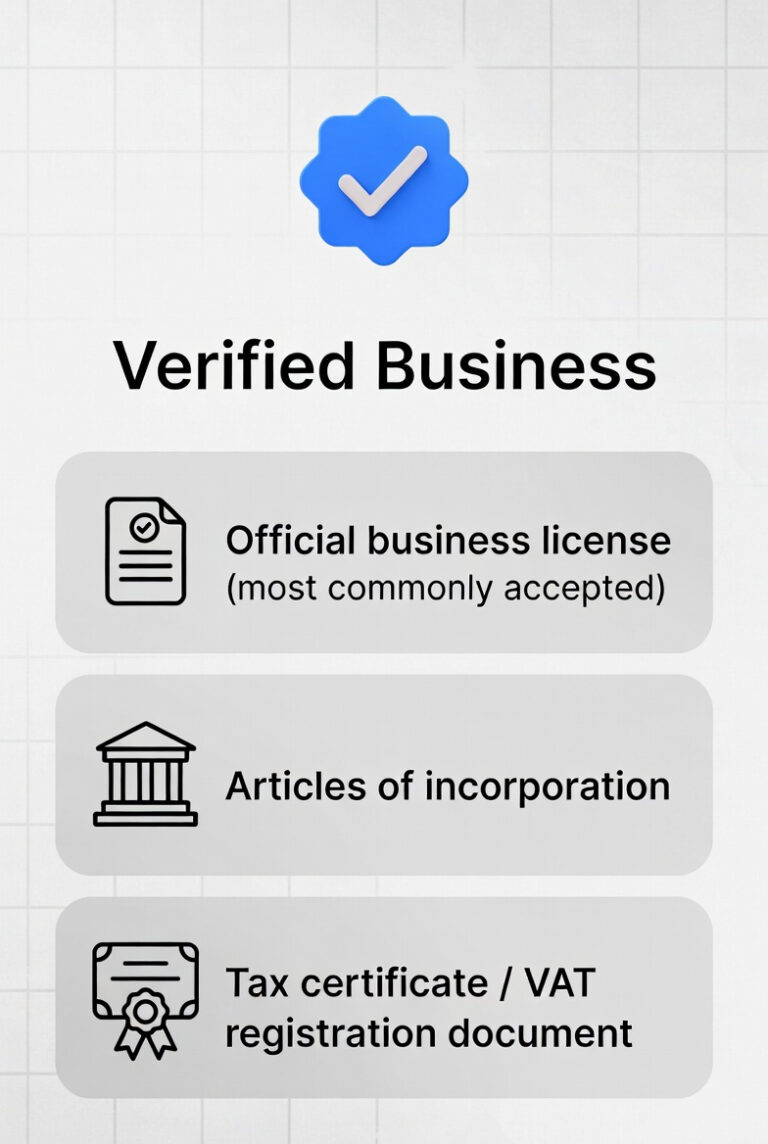
- Create a Meta Business Manager account at business.facebook.com. Verify your business identity.
- Choose your deployment: Cloud API (recommended for most) or On-Premises API.
- Select a BSP. Evaluate pricing, integrations, and support using the criteria above. Apply through the BSP’s onboarding portal.
- Verify your phone number. Submit a dedicated number not currently linked to the free WhatsApp app. Complete the OTP verification via your BSP’s dashboard.
- Create and submit your first message templates. Start with utility templates (order confirmations, appointment reminders) — they have the fastest approval times.
Important: You cannot use the same phone number for both the free WhatsApp Business App and the API. You need a separate, dedicated number for API access.
Frequently Asked Questions (FAQ) – People Also Ask
Q: What is the difference between the free app and the WhatsApp Business API?
The free WhatsApp Business App runs on a phone and supports up to 5 devices. The API is a server-to-server connection that supports unlimited users, full automation, CRM integration, and mass messaging. The API requires a BSP and carries per-conversation fees.
Q: Should I choose Cloud API or On-Premises API?
Choose the Cloud API if you are an SMB or mid-market business. It offers free hosting, automatic updates, and faster setup. Choose the On-Premises API only if your industry mandates full data sovereignty (banking, government healthcare) or requires deep custom infrastructure integration.
Q: What are template messages and why do I need them?
Template messages are pre-approved message formats required to contact users outside the 24-hour service window. Without approved templates, you can only reply to existing conversations — not initiate new ones. Templates enable proactive outreach for marketing, utility alerts, and authentication.
Q: How does the 24-hour chat window work?
When a user sends your business a message, a 24-hour service conversation opens. Inside this window, you can send any content freely. Once the window closes, you must use an approved template to re-engage the user. A new conversation fee applies each time a new session opens.
Q: What are the new WhatsApp marketing rules for 2026?
In 2026, Meta introduced 2 key changes: the Lite Marketing API (which uses engagement scoring to optimize delivery) and per-user daily and weekly frequency caps on marketing messages. Businesses must now segment lists more carefully and prioritize high-engagement users to maximize ROI within these constraints.
Q: How do I find a legitimate WhatsApp API provider?
Only use Meta-authorized BSPs listed in the official Meta Partner Directory at business.whatsapp.com/partners. Avoid unofficial resellers. Top BSPs include Twilio, Bird (MessageBird), 360dialog, WATI, Vonage, and Infobip.
Q: How much does the WhatsApp Business API really cost?
Total cost = BSP platform fee + Meta per-conversation fees. Platform fees range from $0 to $500+/month depending on the BSP and plan. Meta’s conversation fees vary by country and category. For a business sending 10,000 marketing messages/month in India, total costs typically range from $60–$150/month depending on BSP choice.
Q: Does the WhatsApp API support AI chatbots?
Yes. The API connects directly to AI models via webhooks. You can integrate ChatGPT, Claude, Gemini, or any LLM via your BSP or custom backend. Many BSPs offer no-code AI bot builders. Full AI integration typically requires developer resources for custom NLP flows.
Key Takeaways
- The WhatsApp Business API is the only path to automation, multi-agent access, and scalable marketing on WhatsApp.
- The Cloud API is right for 90% of businesses. On-Premises suits only large enterprises with strict compliance needs.
- Template messages are mandatory for business-initiated outreach. Utility templates get faster approval than marketing templates.
- The 24-hour window defines your cost structure. Maximizing each open window reduces overall conversation spend.
- 2026 Lite Marketing API and frequency caps require smarter list segmentation — but increase ROI when used correctly.
- Choose your BSP based on pricing model, integrations, uptime SLA, and support for new features like Calling API and Lite Marketing.
Conclusion
The jump from the free WhatsApp Business App to the API is not optional for growing businesses — it is inevitable. Manual responses, single-device limits, and basic away messages simply cannot support enterprise-scale communication.
The WhatsApp Business API gives you 3 capabilities that transform customer engagement: automation at scale, real-time CRM integration, and proactive outreach via approved templates. The 2026 updates — Lite Marketing, frequency caps, and the Calling API — reward businesses that engage smartly rather than just broadly.
Assess your current monthly message volume. If you are sending more than 500 messages per month manually, the ROI on API migration is immediate.
Last Updated: March 2026