WhatsApp Business Messaging Policy & Ban Avoidance Guide 2026
In 2026, Meta has fundamentally shifted its strategy. The era of growth hacking via mass messaging is officially over. Regulatory pressure from GDPR, CCPA, and emerging global privacy frameworks has accelerated this shift. Meta now monetizes WhatsApp through its high-intent, trust-driven user base. Every spam complaint erodes that trust. Every banned sender costs Meta advertiser credibility. Read the WhatsApp Business Messaging Policy and 2026 Ban Avoidance Guide to Prevent Your WhatsApp Account from Being Banned.
Table of Contents
What Gets Your WhatsApp Business Account Banned Instantly?
These violations are non-negotiable. Meta’s automated systems and human review teams detect these behaviors rapidly. Expect immediate suspension with zero warning when you cross these lines.
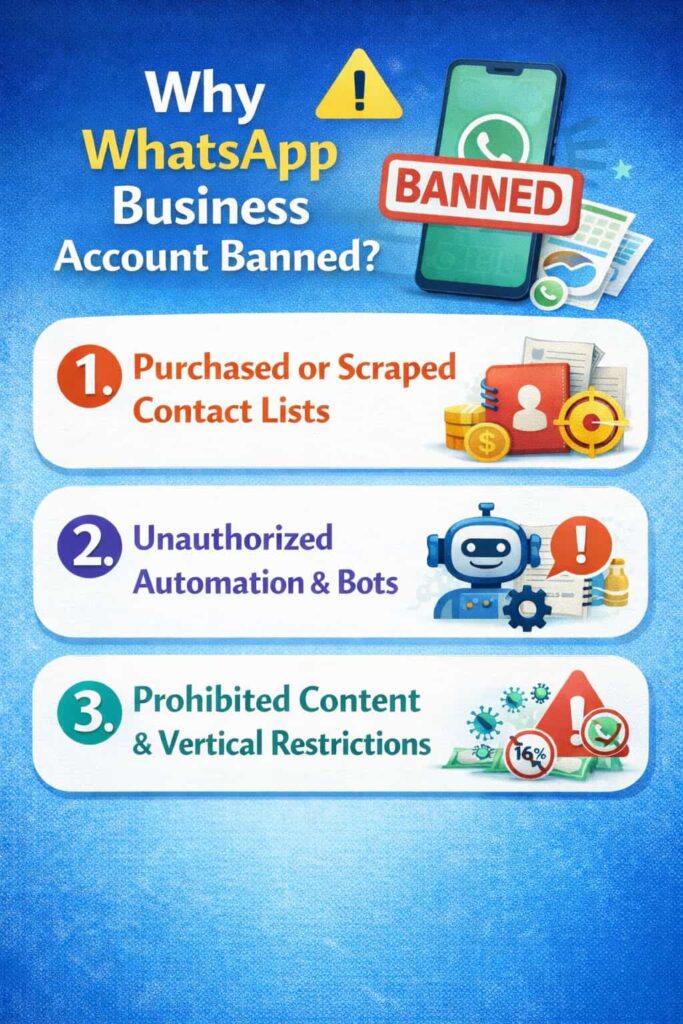
1. Purchased or Scraped Contact Lists
Buying phone number lists is the single fastest path to a permanent ban. Here is why Meta detects it instantly:
- High bounce rates: Purchased lists contain 15%–40% invalid or disconnected numbers. WhatsApp’s delivery infrastructure logs these failures and flags your account within hours.
- Zero interaction history: WhatsApp monitors registration dates and conversation history. A number that has never interacted with your business suddenly receiving a marketing blast is an immediate algorithmic red flag.
- Cross-platform data matching: Meta correlates WhatsApp data with Facebook and Instagram interaction signals. Numbers sourced from scraped web data carry no engagement history on any Meta platform, which amplifies the spam signal.
Bottom line: Only use numbers collected directly through your own opt-in channels. There are no exceptions.
2. Unauthorized Automation & Bots
Automation on WhatsApp is categorized into 3 tiers. Understanding each tier protects both your efficiency and your compliance.
- Safe Tier — Official WhatsApp Business API: Meta-approved, rate-limited, and auditable. This API provides pre-approved message templates, opt-out management, and quality rating dashboards. It is the only automation tool that provides both scalability and compliance.
- Semi-Safe Tier — Business Solution Providers (BSPs): Authorized third-party platforms (e.g., Twilio, MessageBird, 360dialog) that build on the official API. They add both CRM integration and campaign analytics while maintaining API compliance.
- Dangerous Tier — Modified Apps & Click Tools: Unofficial tools that mimic human interaction by simulating clicks or injecting data into WhatsApp Web. These scripts violate WhatsApp’s Terms of Service directly. Meta detects them through behavioral fingerprinting: unnatural response timing, inhuman message volumes, and API call patterns that no real user generates.
Using unofficial automation tools risks both immediate account termination and permanent number blacklisting.
3. Prohibited Content & Vertical Restrictions
WhatsApp enforces both content restrictions and industry-level bans. Violating either triggers suspension.
- Strictly banned content: Hate speech, harassment, graphic violence, and health misinformation. These result in immediate permanent bans with no appeal option.
- Restricted verticals — require explicit verification: Pharmaceuticals, tobacco products, firearms & weapons, financial services (in certain regions), and counterfeit goods. If your business operates in these sectors, you must complete Meta’s Business Verification process and, in some cases, receive category-specific approval before sending any promotional messages.
- Key question to ask yourself: Is my industry on the restricted list? Check the current WhatsApp Commerce Policy at business.whatsapp.com before your first send. Policies update quarterly in 2026.
The Foundation of Safety: Mastering Consent & Opt-Outs
Consent is not merely a GDPR or CCPA legal checkbox. It is the primary signal WhatsApp uses to determine whether you are a legitimate sender or a spammer. A high opt-in rate combined with a low complaint rate is the fastest way to achieve and maintain a Green quality rating.
Explicit Opt-In: Beyond the Fine Print
Valid consent under WhatsApp Business Policy 2026 requires clear, affirmative action from the user. Here is what qualifies:
- Active checkbox on a web form: The checkbox must be unchecked by default. Pre-ticked boxes are invalid consent under both GDPR and WhatsApp policy. The form must explicitly name WhatsApp as a communication channel.
- Verbal confirmation (recorded): In sales and customer service contexts, verbal opt-in is valid. However, you must record both the date and the specific language used. Store this in your CRM with a timestamp.
- In-store or physical form submission: Written consent with a clear disclosure statement is valid. The statement must specify: (1) the business name, (2) the message types the user will receive, and (3) the estimated frequency.
The Double Opt-In method adds a critical second layer of protection. After collecting a phone number, send a WhatsApp confirmation message: “Reply YES to confirm you want to receive messages from [Business Name] on WhatsApp.” This provides both stronger legal evidence and a cleaner contact list.
The Elegant Opt-Out: Low Friction, High Compliance
Your opt-out process directly impacts your complaint rate. Make it easy. Make it instant. Make it obvious.
- Mandatory STOP keyword: Every marketing message must include a clear opt-out instruction. The industry standard is “Reply STOP to unsubscribe.” WhatsApp’s own policy requires this. Your system must process STOP replies automatically within 60 seconds.
- Placement matters: Put the opt-out instruction at the end of the message body, not in a footer or footnote. Users who struggle to find the opt-out option will hit “Report Spam” instead, which is far more damaging to your quality score.
- Suppression list management: Once a user opts out, add their number to a permanent suppression list. Verify this list against every send batch. Accidentally messaging an opted-out user is a policy violation and a GDPR compliance risk simultaneously.
Key compliance question: How do you ensure you never message an opted-out user again? Answer: Implement a real-time suppression check at the API level before every message is dispatched. Never rely on manual list management alone.
The Behavioral Triggers That Tank Your Quality Score
Many businesses lose their sending access not through obvious violations, but through behavioral patterns that silently degrade their quality rating. These 3 hidden traps are responsible for the majority of preventable account throttling and bans.
Trap 1: The Complaint Rate Nightmare
The “Report Spam” button is the most powerful weapon a WhatsApp user holds. A complaint rate above 2% per 1,000 messages triggers an automatic quality rating drop.
- Why users report: Irrelevant content (wrong audience segment), message frequency that feels intrusive, or the recipient simply does not remember opting in. All 3 scenarios are fully preventable.
- The math: Send 10,000 messages. Just 20 complaints (0.2%) begin degrading your rating. Just 200 complaints (2%) can push you into Yellow status within 24 hours.
- Prevention strategy: Segment your audience rigorously. Send content that matches the specific interests of each sub-segment. Reduce send frequency for users who open but never reply.
Trap 2: Unnatural Sending Cadence
How you send messages matters as much as what you send. WhatsApp’s infrastructure monitors sending velocity patterns across all API-connected accounts.
- The warm-up period: New phone numbers added to the WhatsApp Business API must be warmed up gradually. Start with 250 messages per day in Week 1. Increase to 1,000 per day in Week 2. Scale to 10,000 per day by Week 4. Skipping this process flags the number as a bot.
- Avoid sending spikes: Blasting 10,000 messages within a single minute triggers the same algorithmic flag as a coordinated bot attack. Spread your sends across 4–6 hour windows. Use message queuing to maintain a consistent dispatch rate.
- Optimal sending hours: Research consistently shows that messages sent between 10:00 AM and 12:00 PM local time generate 34% higher open rates and lower complaint rates than messages sent in the evening.
Trap 3: Interpreting the Quality Rating Dashboard
The WhatsApp Business Manager dashboard displays your current quality rating in real time. Understanding each status prevents escalation.
| Status | Meaning | Required Action |
| 🟢 Green | High quality. Full sending limits active. | Maintain current practices. Monitor weekly. |
| 🟡 Yellow | Medium quality. Sending limits throttled. | Pause campaigns. Audit opt-in records. Reduce frequency immediately. |
| 🔴 Red | Low quality. Account at risk of suspension. | Stop all non-transactional sends. Begin appeal preparation immediately. |
Recovery from Yellow status is achievable within 7–14 days if you stop problem sends, clean your list, and improve message relevance. Do not wait for Red.
The Appeal Process for Banned WhatsApp Business Accounts
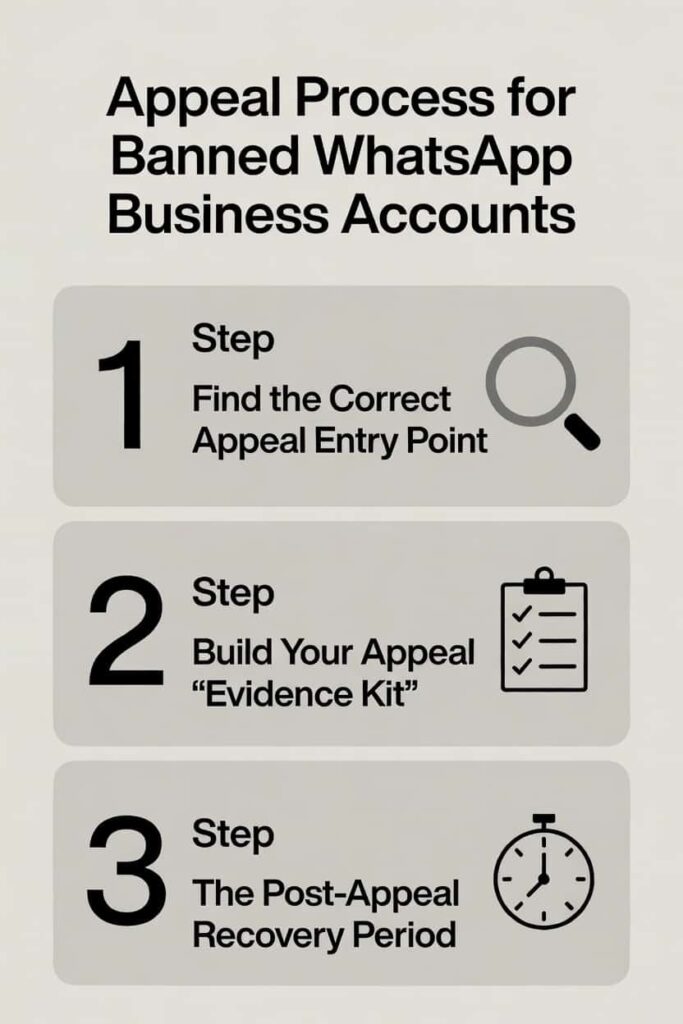
Even businesses with strong compliance practices can be caught by false positives or algorithmic errors. If your account is suspended, follow this structured appeal protocol.
Step 1: Find the Correct Appeal Entry Point
- Consumer WhatsApp Business App users: Go to Settings > Help > Contact Us within the app. Explain your situation clearly. Include your business name and the phone number that was restricted.
- WhatsApp Business API users: Contact your BSP (Business Solution Provider) first. BSPs have direct Partner Portal access and can escalate to Meta’s policy team significantly faster than individual users can.
- Critical rule: Do NOT create a new WhatsApp account using a different phone number immediately after a ban. Meta’s systems flag this behavior as evasion. It typically results in both the original and new accounts being permanently suspended.
Step 2: Build Your Appeal “Evidence Kit”
The strength of your appeal depends entirely on the documentation you provide. Prepare these 3 categories of evidence before submitting:
- Consent documentation: Screenshots or database exports showing opt-in timestamps, IP addresses, form submissions, or recorded verbal confirmations. For every user on your list, you need a verifiable consent record.
- Business verification documents: Official business registration certificate, tax identification number, and a government-issued ID for the account owner. These confirm you are a legitimate entity, not a spam operation.
- Written action plan: A clear, specific document describing: (1) what compliance issue occurred or is alleged, (2) the immediate corrective actions you have taken, and (3) the ongoing monitoring processes you will implement. Vague promises fail. Specific process changes succeed.
Step 3: The Post-Appeal Recovery Period
- Meta typically responds to API account appeals within 3–7 business days.
- Consumer app appeals may take 7–14 business days.
- During the review period, do not send any messages from any related account. Activity during review can be interpreted as continued policy violation.
- If your appeal is rejected, you may resubmit once with additional documentation. A second rejection is typically final for that phone number.
Frequently Asked Questions (FAQ)- People Also Ask
Q1: What is the WhatsApp Business API and why do I need it?
The WhatsApp Business API is Meta’s official programmatic interface for business messaging at scale. It provides both pre-approved message templates and built-in opt-out management that the consumer Business App lacks. It is available through authorized BSPs and is required for sending more than a few hundred messages per day.
Q2: How do I avoid the WhatsApp spam filter in 2026?
Avoid the spam filter by building a genuine opt-in list, sending relevant and segmented content, maintaining a complaint rate below 1%, warming up new numbers gradually, and using the Official API with approved templates. These 5 practices both reduce spam signals and improve deliverability simultaneously.
Q3: Can I use WhatsApp for cold outreach or lead generation?
No. WhatsApp Business Policy explicitly prohibits messaging users who have not given prior consent to receive messages from your business. Cold outreach to purchased lists violates both WhatsApp policy and GDPR/CCPA regulations. Focus on converting warm leads from other channels into WhatsApp opt-ins.
Q4: What industries face the strictest WhatsApp compliance requirements?
Pharmaceuticals, tobacco, firearms, financial services (in certain jurisdictions), and any business selling age-restricted products face the strictest requirements. These sectors must complete Meta’s Business Verification process and may require additional category-specific approvals. Check the current WhatsApp Commerce Policy quarterly.
Q5: How quickly can I recover from a Yellow quality rating?
With immediate corrective action, most accounts recover from Yellow to Green within 7–14 days. Stop low-quality campaigns, clean your suppression list, reduce send frequency, and improve message segmentation. Monitor the dashboard daily during recovery.
Conclusion
The WhatsApp Business landscape in 2026 operates on a fundamentally different premise than it did 3 years ago. Volume-based marketing — the blast-and-hope playbook — is not just ineffective. It is a direct path to account termination.
The businesses thriving on WhatsApp in 2026 share 3 characteristics: they collect explicit, documented consent, they send hyper-relevant content to well-segmented audiences, and they make opting out as easy as replying with a single word.
Consent is now the primary currency of WhatsApp marketing. Businesses that invest in building clean, engaged lists outperform those chasing volume by every measurable metric: open rates, conversion rates, and account longevity.
💡 Pro Tip: Leverage the Official WhatsApp Business API
Using the WhatsApp Business API via an authorized BSP is not just for large enterprises. It provides 3 critical advantages that the consumer Business App simply cannot offer:
(1) pre-approved message templates that bypass spam filtering,
(2) built-in opt-out management that automatically updates your suppression list,
(3) a real-time quality rating dashboard that gives you 24–48 hours of warning before a ban occurs.
For any business sending more than 500 messages per month, the API is the single most effective compliance investment available. The cost of a BSP subscription is a fraction of the cost of losing your primary customer communication channel.
Key Takeaways: WhatsApp Compliance Checklist 2026
- Never use purchased, rented, or scraped contact lists.
- Only automate via the Official WhatsApp Business API or authorized BSPs.
- Collect explicit, documented opt-in consent for every contact.
- Include a clear STOP opt-out instruction in every marketing message.
- Maintain a real-time suppression list and verify it before every send.
- Warm up new phone numbers: start at 250 messages/day, scale over 4 weeks.
- Keep complaint rates below 1% per 1,000 messages.
- Monitor your quality rating dashboard at least 3 times per week.
- At Yellow status: pause campaigns immediately and audit your list.
- If banned: build a full evidence kit before submitting an appeal.
References: Business Policy | WhatsApp Business, WhatsApp Business Platform policy and spam enforcement | Developer Documentation
Last Updated: 5th of March 2026