WhatsApp Broadcast Lists vs. Channels vs. Groups-Choosing the Right Tool
WhatsApp is the world’s #1 messaging app, with over 2.7 billion monthly active users in 2026. Yet most businesses misuse its features — and pay the price in ignored messages, annoyed contacts, and dead communities.
The core problem is simple: WhatsApp offers 3 very different communication tools, and they are not interchangeable.
- Broadcast Lists push messages to individuals privately, like a personalized text message.
- Groups let members talk among themselves — a digital town square.
- Channels let admins broadcast to unlimited followers in a public, one-way feed.
This guide helps you pick the right tool, or the right combination, for your 2026 business strategy. We cover reach, privacy, engagement, and cost across all 3 options.
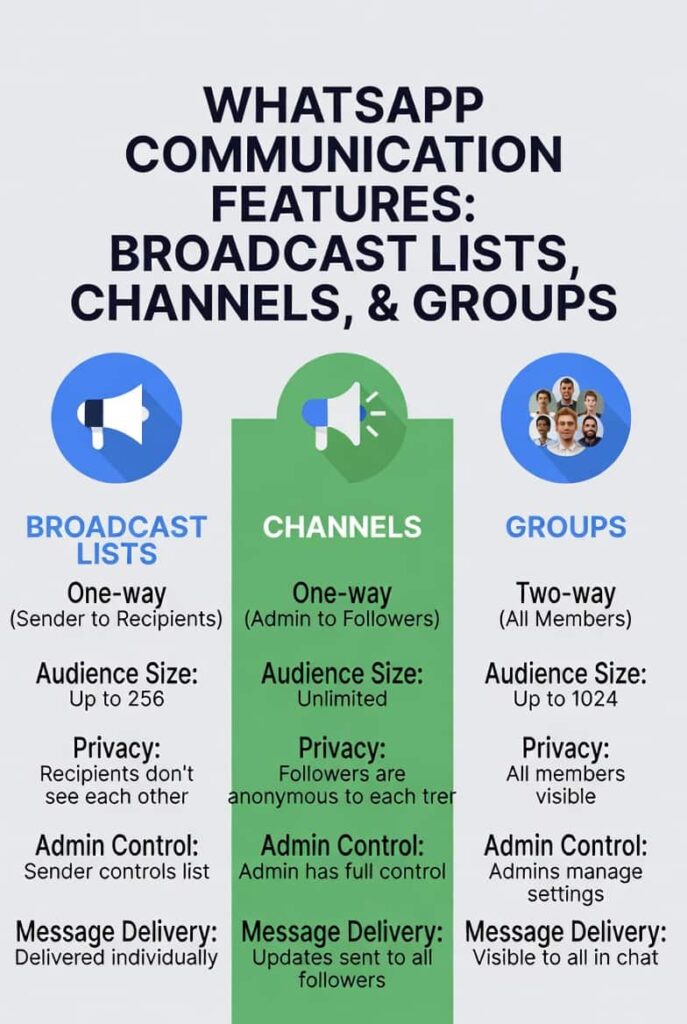
Table of Contents
1. WhatsApp Broadcast Lists: The Personalized Sales Tool
WhatsApp Broadcast Lists are the oldest of the 3 tools. They mimic personal messaging at scale — and that is both their strength and their limitation.
How WhatsApp Broadcast Lists Work
When you send a message to a Broadcast List, each recipient receives it as a personal 1-on-1 chat message. It does not appear as a group message. Recipients reply directly to you — not to each other.
| ⚠️ Critical Technical Gate: Both parties must have each other’s phone number saved in their contacts. If the recipient has not saved your number, your message will NOT be delivered — regardless of how well-crafted it is. |
This mutual contact-save requirement is the #1 reason broadcast lists fail for most businesses. It makes opt-in management essential.
Each list holds a maximum of 256 recipients. You can create multiple lists, but management quickly becomes manual and unsustainable at scale.
WhatsApp Broadcast Lists: Pros and Cons
Pros:
- Open rates of 70–90% — far above email’s industry average of ~21%.
- Feels personal. Recipients see a 1-on-1 message, not a mass blast.
- High reply rates — ideal for conversational selling and warm outreach.
- No app or third-party tool required. Works natively in WhatsApp.
Cons:
- Hard limit of 256 recipients per list.
- Requires mutual contact saves — operationally difficult at scale.
- No analytics dashboard. You cannot see open rates or track link clicks natively.
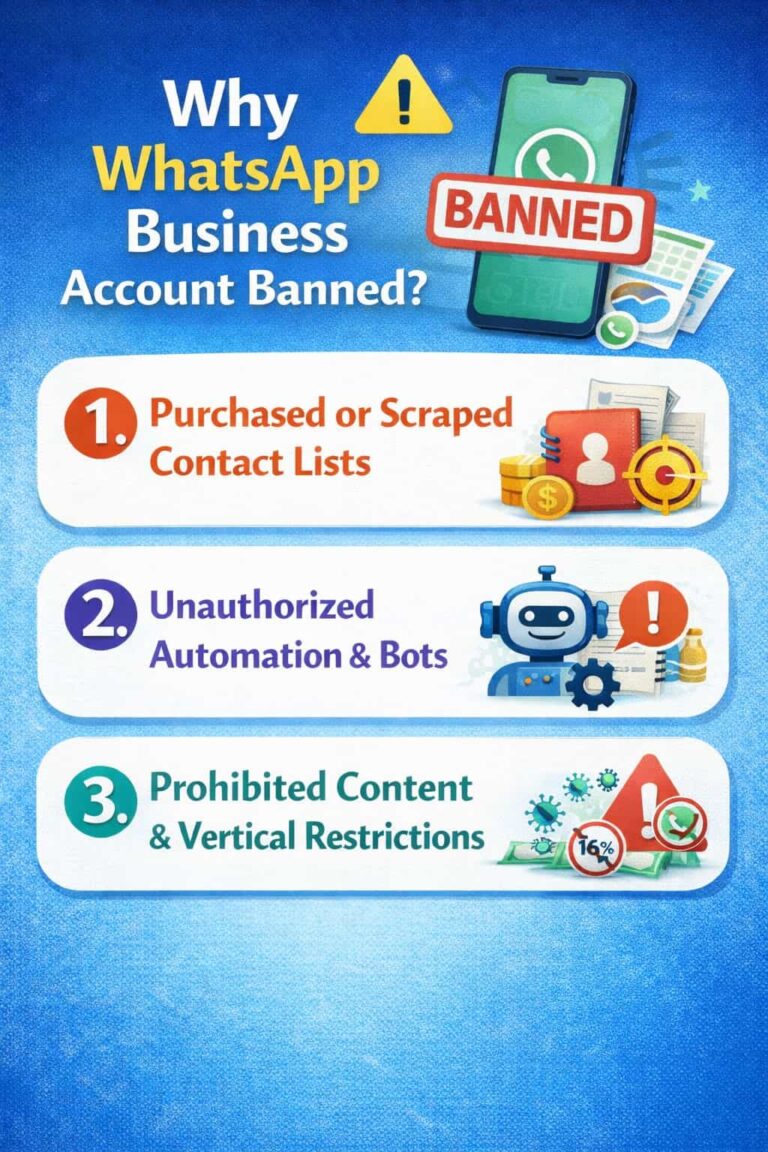
- Non-compliant use risks account bans by WhatsApp.
Best Use Cases for Broadcast Lists in 2026
Broadcast Lists shine in high-intent, small-audience scenarios. Here are 3 proven use cases:
- Following up with warm leads who attended a webinar or demo.
- Sending exclusive discount codes to your top 100 loyal customers.
- Appointment reminders for clinics, salons, consultants, or service providers.
| 💡 Pro Tip: Use a clear opt-in flow (e.g., ‘Save our number and text START to receive exclusive deals’) to legally and sustainably grow your Broadcast List audience. |
Why Is My Broadcast List Not Delivering? How Do I Get Opt-Ins?
This is the #1 frustration for businesses using WhatsApp Broadcast Lists. The answer is simple: the recipient must have your number saved in their contacts. If they have not saved it, WhatsApp silently drops the message — no error, no notification.
The 3-step opt-in system that actually works:
- Ask them to save your number: “Save our number as [Brand Name] on WhatsApp to get exclusive deals.”
- Ask them to send you a first message: “Text START to this number to join our VIP list.” This proves they saved you and triggers a mutual connection.
- Save their number too: You must also save theirs. Use a CRM or contact management tool to stay organized as your list grows.
Always collect opt-ins on a dedicated landing page, checkout form, or via a WhatsApp Click-to-Chat link. Never add people without consent — WhatsApp can permanently ban accounts for unsolicited bulk messaging.
2. WhatsApp Groups: The Community Engagement Hub
WhatsApp Groups are the most interactive of the 3 tools. They create multi-directional conversations where every member can speak, react, and build relationships with each other.
How WhatsApp Groups Work
Groups support up to 1,024 members as of 2026 (expanded from the original 256-member cap). Every message is visible to all members. Everyone can reply — unless admins activate the ‘Only Admins Can Send Messages’ restriction.
WhatsApp Communities — introduced in 2022 and matured by 2026 — allow businesses to nest multiple groups under one umbrella, creating structured ecosystems for larger audiences.
| 🔒 Privacy Warning: All members can see each other’s phone numbers by default. This is a significant privacy concern for many users and may reduce willingness to join. |
WhatsApp Groups: Pros and Cons
Pros:
- Fosters genuine community belonging — the #1 driver of customer loyalty.
- Excellent for user-generated content, peer support, and viral word-of-mouth.
- Immediate feedback loop — poll your community in seconds.
- Admin controls let you flip a group into a one-way announcement channel when needed.
Cons:
- Notification fatigue is real. Overactive groups drive members to mute or leave.
- High churn rate if content quality drops or spam appears.
- Difficult to moderate at 500+ members without dedicated community managers.
- Phone numbers of all members are visible — a privacy and GDPR concern.
Best Use Cases for WhatsApp Groups in 2026
Groups work best when community interaction is the primary goal. Here are the top 3 scenarios:
- Paid membership communities — where belonging and peer interaction justify the subscription.
- Internal team communication — for project teams, remote squads, or department chats.
- Brand ambassador programs — invite your top customers to a closed beta-testing club.
| 💡 How to Prevent a Ghost Town or Spam Fest: Set a clear community charter on Day 1. Define posting rules, content themes, and posting frequency. Appoint at least 2 active moderators per 200 members. |
How Do I Prevent My Group from Becoming a Ghost Town or a Spam Fest?
WhatsApp Groups die in 2 ways: too much noise (spam fest) or too little activity (ghost town). Both are preventable with the right setup from Day 1.
To prevent a ghost town:
- Post a weekly content calendar — members know when to expect value and show up for it.
- Ask weekly questions or polls — low-effort for members, high-signal for you.
- Spotlight members — celebrate wins, tag active contributors, and make people feel seen.
To prevent a spam fest:
- Pin a group charter on Day 1 — define what is and is not allowed (no promotional links, no off-topic posts).
- Enable “Only Admins Can Send Messages” during launches or announcements — flip back to open when done.
- Remove repeat offenders quickly — 1 warning, then removal. A clean group retains members 3x longer than a tolerant one.
3. WhatsApp Channels: The One-Way Broadcasting Revolution
WhatsApp Channels launched in 2023 and reached full maturity by 2026. They are WhatsApp’s answer to Telegram Channels and Instagram Broadcast Channels — a privacy-first, one-way broadcasting tool with unlimited reach.
How WhatsApp Channels Work
Admins post content — text, photos, videos, polls, or links — into the channel feed. Followers view the content in a dedicated ‘Updates’ tab, separate from their personal chats.
The key differentiator: follower phone numbers are completely hidden from the admin and from each other. This makes Channels the most privacy-compliant of the 3 tools.
Channels support:
- Unlimited followers (no cap).
- Emoji reactions (followers cannot send text replies).
- Forward-to-chat feature, allowing followers to share updates with contacts.
- View count metrics visible to the admin — a basic analytics layer.
| 🔍 Discovery Challenge: Users must find your Channel link to follow you. WhatsApp’s in-app Channel discovery is limited in 2026. External promotion remains essential for follower growth. |
WhatsApp Channels: Pros and Cons
Pros:
- Unlimited scale — grow from 10 to 10 million followers without friction.
- High privacy compliance — no phone number sharing required.
- High-visibility content delivered to the dedicated Updates tab.
- Zero reply clutter — your message is the only voice in the feed.
Cons:
- No two-way conversation — engagement is limited to emoji reactions.
- Harder to build personal relationships compared to Broadcast Lists or Groups.
- Discovery is challenging — follower growth depends on external marketing efforts.
- No direct call-to-action click tracking natively within WhatsApp.
Best Use Cases for WhatsApp Channels in 2026
Channels excel when reach and privacy matter more than conversation. Here are 3 prime scenarios:
- Media outlets sending daily news flashes and breaking stories.
- E-commerce brands announcing product launches, flash sales, and restocks.
- B2B companies sharing industry insights, weekly reports, and thought leadership.
| 💡 How to Grow Channel Followers Without a Phone Number List: Share your Channel link on Instagram bio, LinkedIn posts, email newsletters, and your website. Use QR codes at physical events. Cross-promote inside WhatsApp Groups you already manage. |
4. Feature Comparison at a Glance — 2026 Update
Use this quick-reference table to compare all 4 options side by side, including the WhatsApp Business API for businesses planning to scale beyond native app limits.
| Feature | Broadcast List | Group | Channel | Business API |
| Communication Style | 1-to-1 (Personal) | Many-to-Many | 1-to-Many | 1-to-Many (Automated) |
| Audience Size | 256 max per list | Up to 1,024+ | Unlimited followers | Unlimited (API-based) |
| Privacy Level | Medium — numbers visible to admin | Low — numbers visible to all | High — followers anonymous | High — API-managed |
| Engagement Level | ⭐⭐⭐⭐⭐ High (direct replies) | ⭐⭐⭐⭐⭐ Very High (community chat) | ⭐⭐ Low (emoji reactions only) | ⭐⭐⭐⭐ High (automated flows) |
| Setup Requirement | Save contacts mutually | Invite or add members | Share channel link | WhatsApp Business API access |
| Best For | Sales & warm leads | Community & support | Broadcast & awareness | Scale & automation |
| Cost (2026) | Free | Free | Free | Per-message pricing |
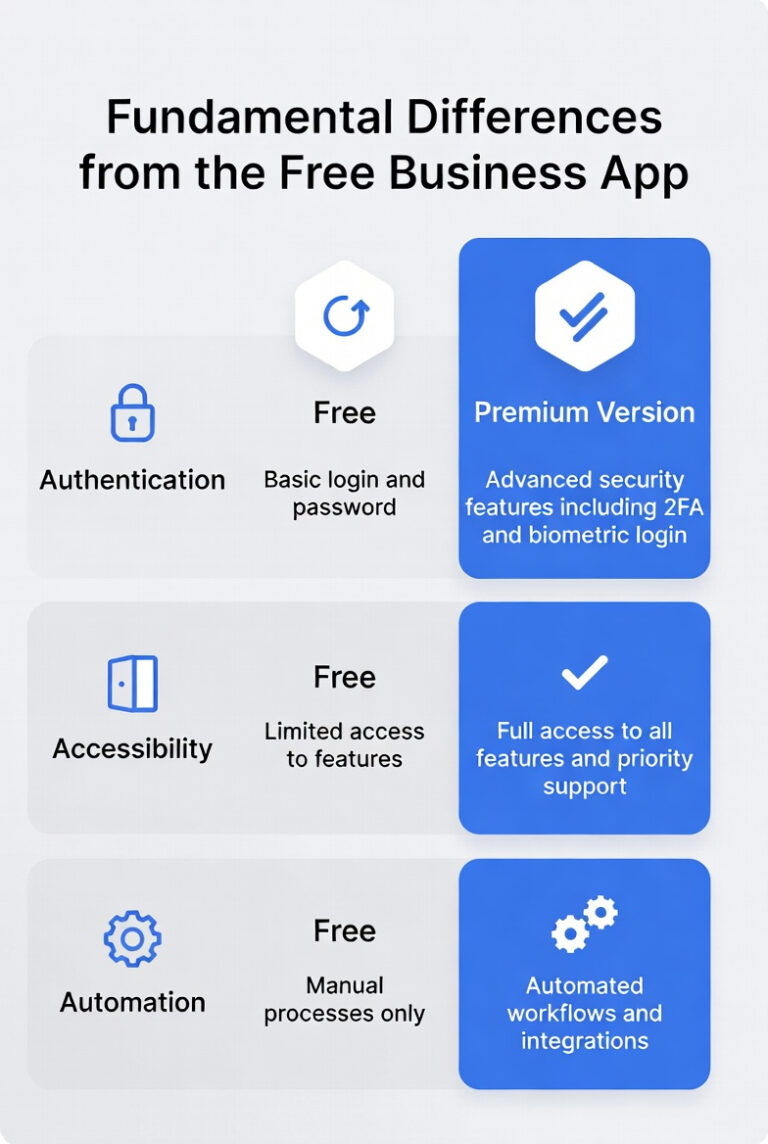
Note: WhatsApp Business API enables automated messaging flows, chatbots, and CRM integrations — making it the enterprise-grade layer above the 3 native tools discussed in this guide.
5. How to Choose — and Combine — These WhatsApp Tools for Your Business
The most common mistake businesses make is treating these 3 tools as alternatives. They are not. The most effective WhatsApp strategies in 2026 use all 3 tools together, mapped to the customer journey.
The Sales Funnel Approach
Think of each tool as a stage in your marketing funnel:
Top of Funnel — Awareness: Use Channels to broadcast blog posts, industry news, and product teasers to a wide, anonymous audience. No phone number required. No spam risk.
Middle of Funnel — Consideration: Use Broadcast Lists to send personalized demos, discount offers, or follow-up messages to warm leads who clicked through from your Channel or website.
Bottom of Funnel — Loyalty: Invite your best customers into an exclusive Group for beta testing, early access, and peer-to-peer community building. This is where brand advocates are born.
| 📊 Real-World Strategy Example: A SaaS company uses a WhatsApp Channel (2,400 followers) to share weekly product tips. They migrate engaged followers to a Broadcast List for personalized trial offers. Top converters join a closed Group of 85 power users for feature feedback sessions. |
Quick Selection Checklist — Choose in Under 60 Seconds
Choose Broadcast Lists if:
- You have a small database of under 256 high-intent contacts.
- You want replies and two-way conversations.
- You can manage mutual contact saves and opt-in compliance.
Choose Groups if:
- You want customers to talk to each other — not just to you.
- You are building a paid community, support forum, or ambassador club.
- You have the moderation resources to manage active conversations.
Choose Channels if:
- You want to reach a large audience with minimal friction.
- Privacy compliance is a priority — no phone number collection needed.
- You are a media brand, content creator, or announcement-focused business.
6. Key Takeaways — What to Remember
- Broadcast Lists offer personal reach to up to 256 contacts, with ~70–90% open rates — but require mutual contact saves.
- Groups provide community-driven conversations for up to 1,024+ members — with high churn risk if poorly moderated.
- Channels deliver one-way broadcasts to unlimited followers — with maximum privacy and minimum friction.
- The best 2026 WhatsApp strategy combines all 3 tools across the customer journey: Channel → Broadcast List → Group.
- WhatsApp Business API unlocks automation, chatbots, and CRM integration for businesses needing to scale beyond native tools.
7. Frequently Asked Questions (FAQ) – People Also Ask
Why is my WhatsApp Broadcast not delivering?
The recipient must have your number saved in their contacts. If they haven’t saved it, the message won’t deliver. Always get explicit opt-ins before broadcasting.
How many people can I add to a WhatsApp Broadcast List?
Each Broadcast List holds a maximum of 256 recipients. To reach more people, create multiple lists or switch to WhatsApp Channels.
Can followers reply to WhatsApp Channels?
No. Channels are one-way only. Followers can react with emoji, but they cannot send direct replies inside the channel feed.
What is the difference between WhatsApp Groups and Communities?
WhatsApp Communities (launched 2022, matured by 2026) are umbrella structures that link multiple groups under one roof. Groups are standalone, while Communities add hierarchy and announcement channels on top.
Is WhatsApp marketing legal in 2026?
Yes, if you follow GDPR, CAN-SPAM, and local data-privacy laws. You must obtain explicit consent (opt-in) before messaging users for marketing purposes.
How do I grow my WhatsApp Channel followers?
Share your Channel link on other social platforms, embed a QR code on your website, and promote it via your email newsletter. You can also cross-promote inside WhatsApp Groups.
Can I use WhatsApp Broadcast Lists for B2B marketing?
Yes. Broadcast Lists work well for B2B outreach to warm leads, appointment reminders, and personalized proposals — as long as you have mutual contact saves.
Conclusion
There is no single best WhatsApp tool in 2026. The right choice depends on whether you prioritize privacy, conversation, or reach.
Use Broadcast Lists for personalized, high-intent outreach. Use Groups to build a community that talks back. Use Channels to broadcast at scale without invading anyone’s inbox.
And when you combine all 3 — mapped to your customer journey — you stop using WhatsApp as a messaging app and start using it as a full-funnel marketing engine.
| 🚀 Ready to Build Your 2026 WhatsApp Strategy? Audit your current WhatsApp usage today. Identify which stage of the funnel you are missing — and plug it with the right tool. Your next 256 warm leads, 1,000 community members, or 10,000 channel followers are waiting. |
Reference: How to use broadcast lists | WhatsApp Help Center, How to use broadcast lists on the WhatsApp Business app | WhatsApp Help Center, How to turn broadcast lists into marketing messages | WhatsApp Help Center
Last update: 9th of March 2026