A Full Guide to Click-to-WhatsApp Ads 2026
Click-to-WhatsApp Ads are transforming digital advertising in 2026. While CPMs climbed an average of 17% in 2025, traditional click-through rates continue to plummet due to widespread banner blindness—users simply scroll past static ads and landing pages without engaging.
The future isn’t a passive webpage anymore. It’s an instant, personalized conversation. Click-to-WhatsApp Ads let prospects jump from an ad on Facebook, Instagram, or TikTok straight into a live WhatsApp chat with just one tap—bypassing slow-loading sites, forms, and drop-offs.
With WhatsApp boasting over 3 billion monthly active users across 180+ countries (and growing rapidly into 2026), it’s no surprise that more than 70% of consumers prefer messaging businesses over phone calls or emails. The intent gap is massive—and Click-to-WhatsApp Ads close it faster and more effectively than ever, driving higher engagement, better lead quality, and stronger conversions.
This guide covers: platform-by-platform setup on Meta, Google, and TikTok; post-click conversation design; attribution tracking; and a real-world case study showing a 2.9× increase in sales.
Table of Contents
What Are Click-to-WhatsApp Ads? (And Why They Work in 2026)
Click-to-WhatsApp ads are digital ads that — when clicked — open a pre-filled chat thread in WhatsApp Web or the app. They bypass the website entirely. No form. No loading screen. No drop-off.
The user clicks a ‘Send Message’ CTA and lands directly in a conversation. Your brand responds in real time or via a bot. Conversion happens inside the chat.
Ad Format Examples Across 3 Major Platforms
- Facebook Feed, Instagram Stories, and Reels — all with a ‘Send WhatsApp Message’ CTA button. Both awareness and conversion objectives are supported. Meta (Facebook & Instagram):
- Search ads use a ‘Message via WhatsApp’ lead form extension. Display and YouTube campaigns use lead form assets that route to wa.me links. Google Ads:
- Spark Ads and In-Feed ads use a ‘WhatsApp’ destination link. The short-video format drives impulse engagement before handing off to chat. TikTok Ads:
Why Remove the Landing Page?
Each additional step in a funnel costs 20% of your audience. Removing the landing page eliminates 1–3 steps instantly. This is why Click-to-WhatsApp ads consistently deliver lower cost-per-lead (CPL) than traditional funnels.
Friction reduction drives higher conversion rates. Personalization drives higher close rates. Together, they compress the sales cycle by days.
Which Businesses Benefit Most?
- High-consideration purchases: Real estate, travel, and luxury retail (where buyers need information before committing)
- B2B services: Agencies, SaaS, consulting firms (where qualification before a sales call matters)
- Education & EdTech: Course providers and tutoring services (where enrollment questions are complex)
- Healthcare & wellness: Clinics, therapists, and coaches (where privacy and personal connection build trust)
| 📌 Key Insight Click-to-WhatsApp ads work best when a human or bot conversation adds more value than a static page. If your product needs explanation, comparison, or customization — this format is built for you. |
A Cross-Platform Setup Guide
Each platform has its own interface and optimization logic. But the core goal is always the same: move the user from passive scrolling to active chatting — in one click.
Here is a step-by-step setup guide for all 3 major platforms.
Meta Ads (Facebook & Instagram)

Meta offers the deepest native integration with WhatsApp Business. This makes it the highest-volume channel for Click-to-WhatsApp campaigns globally.
Step 1: Set the Objective — In Meta Ads Manager, select ‘Engagement’ or ‘Messages’ as your campaign objective. Choose ‘WhatsApp’ as the messaging app destination.
Step 2: Connect Your WhatsApp Business Account — Link your WhatsApp Business Account (WABA) to your Facebook Page under ‘Page Settings > WhatsApp.’ This connection enables ad-to-chat routing.
Step 3: Configure Creative & CTA — Use ‘Send WhatsApp Message’ as your call-to-action button. Add a pre-filled greeting message (e.g., ‘Hi! I saw your ad and want to learn more’) to reduce user friction further.
💡 Pro Tip: Use Facebook Shops for Product-Specific Conversations
Use the ‘Click to WhatsApp’ destination card in Facebook Shops. It lets users tap directly from a product listing into a WhatsApp chat about that exact product. This removes all guesswork from the conversation.
- Combine with Advantage+ targeting — Meta’s algorithm automatically finds your highest-converting audience
- Always include ‘Reply STOP to opt-out’ in your first automated message for legal compliance
- Use Creative A/B testing in Ads Manager to test 2–3 ad visuals and let Meta optimize toward the best-performing WhatsApp click rate
Google Ads (Search & Display)

Google Search ads capture high-intent users actively searching for your product. Adding WhatsApp as a destination routes that intent directly into conversation.
Step 1: Add a Message Extension — In Google Ads, go to ‘Assets > Message Asset.’ Set the business name, phone/WhatsApp number, and pre-fill a message like ‘I want to chat about [Product].’ Use your wa.me link as the destination.
Step 2: Set Up Conversion Tracking in GA4 — In Google Analytics 4 (GA4), create a new Conversion Event for clicks to wa.me links. Use GTM to fire an event tag whenever a user clicks a WhatsApp link on your site or ad.
Step 3: Lead Form Assets for Display & YouTube — For Display or YouTube campaigns, use Lead Form Assets. Pre-populate a message that directs the user to continue the conversation in WhatsApp after submitting their name and email.
| 🔑 Key Question: How Do You Optimize for Message Conversions? Google’s algorithm optimizes for what you tell it to. Set your conversion goal to ‘WhatsApp click’ or ‘lead form submission.’ Use Target CPA bidding once you have 30+ conversions in 30 days. Google will then find users most likely to click through to WhatsApp. Run Search + Display together to capture both active intent (Search) and passive discovery (Display). |
TikTok Ads
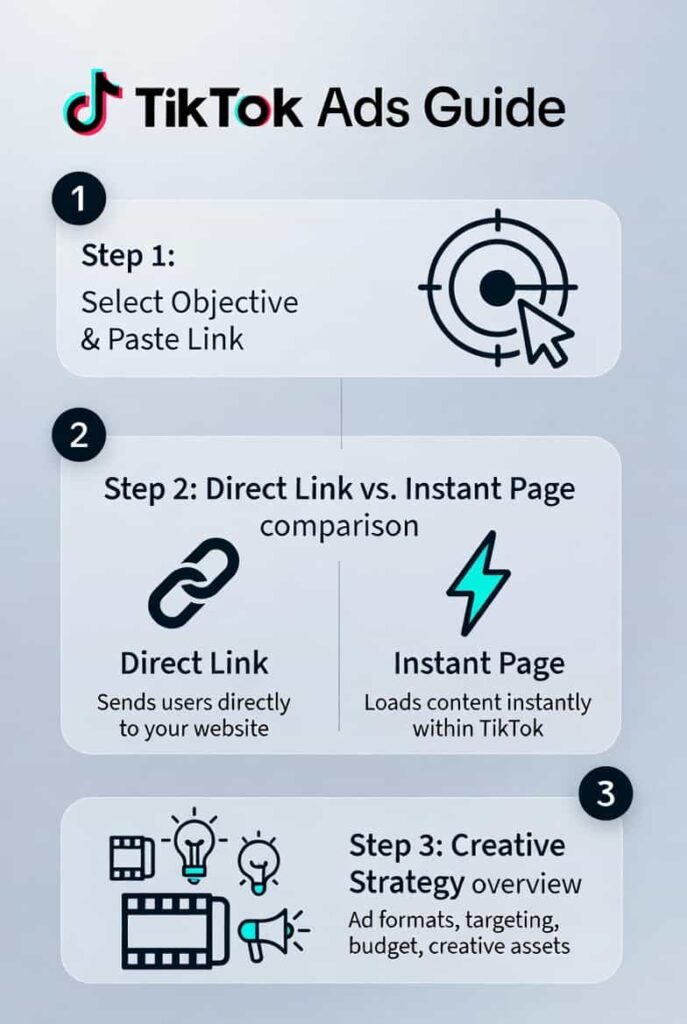
TikTok’s algorithm rewards native, authentic content. Ads that feel like organic content get 3× lower CPMs. Click-to-WhatsApp works best here with direct-link video ads.
Step 1: Select Objective & Paste Link — Choose ‘Website Conversions’ or ‘Leads’ as your objective. Paste your wa.me WhatsApp link directly as the destination URL.
Step 2: Direct Link vs. Instant Page — TikTok’s Instant Page is a fast-loading mini-landing page. For Click-to-WhatsApp, skip it. A direct wa.me link removes one extra step and typically improves conversion rates by 15–25%.
Step 3: Creative Strategy — End your video with a specific spoken and text CTA: ‘Comment INFO or click the link to chat with us now.’ This dual-channel CTA drives both comment engagement (boosting reach) and direct WhatsApp clicks.
| 🎬 TikTok Creative Framework First 3 seconds: Hook with a pain point or bold claim (‘Most travel agencies hide this fee…’) Middle 10–15 seconds: Show proof or product benefit Final 3 seconds: CTA — ‘Click below to chat with us on WhatsApp now’ |
Designing the Post-Click Experience (The Conversion Catalyst)
The ad earns the click. The conversation closes the sale. Most advertisers optimize the ad. The best advertisers optimize what happens after the click.
Here is how to design a chat experience that converts.
The Automated Welcome Message
The first message a user sees determines whether they reply. Use this 3-part structure:
- Greeting — Acknowledge the user personally: ‘Hi [Name]! Thanks for reaching out.’
- Value Prop — State what you offer clearly: ‘We help [audience] achieve [outcome] in [timeframe].’
- Question — Ask one focused question: ‘Are you looking for pricing, availability, or general info today?’
| 📝 Welcome Message Example “Hi! Thanks for reaching out about our Safari packages. 🌍 We specialize in luxury East Africa safaris with 5-star lodges and private guides. Quick question: Are you planning a solo trip, couple’s getaway, or family adventure?” |
Using a Bot for Lead Qualification
A well-configured chatbot (via ManyChat, WATI, or Trengo) can qualify leads 24/7 — before a human ever joins the conversation. This saves your sales team 40%+ of screening time.
Set up 3–5 qualifier questions:
- Budget range (e.g., ‘Under $5K / $5K–$15K / $15K+’)
- Timeline (e.g., ‘Within 1 month / 1–3 months / 6+ months’)
- Specific need (e.g., ‘Looking for package deals or custom itineraries?’)
- Contact info (e.g., ‘May I grab your email to send you a brochure?’)
The bot delivers 2 core benefits immediately:
- Saves sales team time — reps only join conversations with pre-qualified, high-intent leads. No more screening cold inquiries manually.
- Captures lead data automatically — name, email, budget, and intent are stored in your CRM before a human takes over. Zero manual data entry required.
Your sales team only engages with pre-qualified leads — boosting close rates by 30–50% and cutting average handle time per deal.
Response Speed & Team Inboxes
Response time under 5 minutes increases lead conversion by 9×. Set up:
- Away messages: Autoreply outside business hours with expected response time
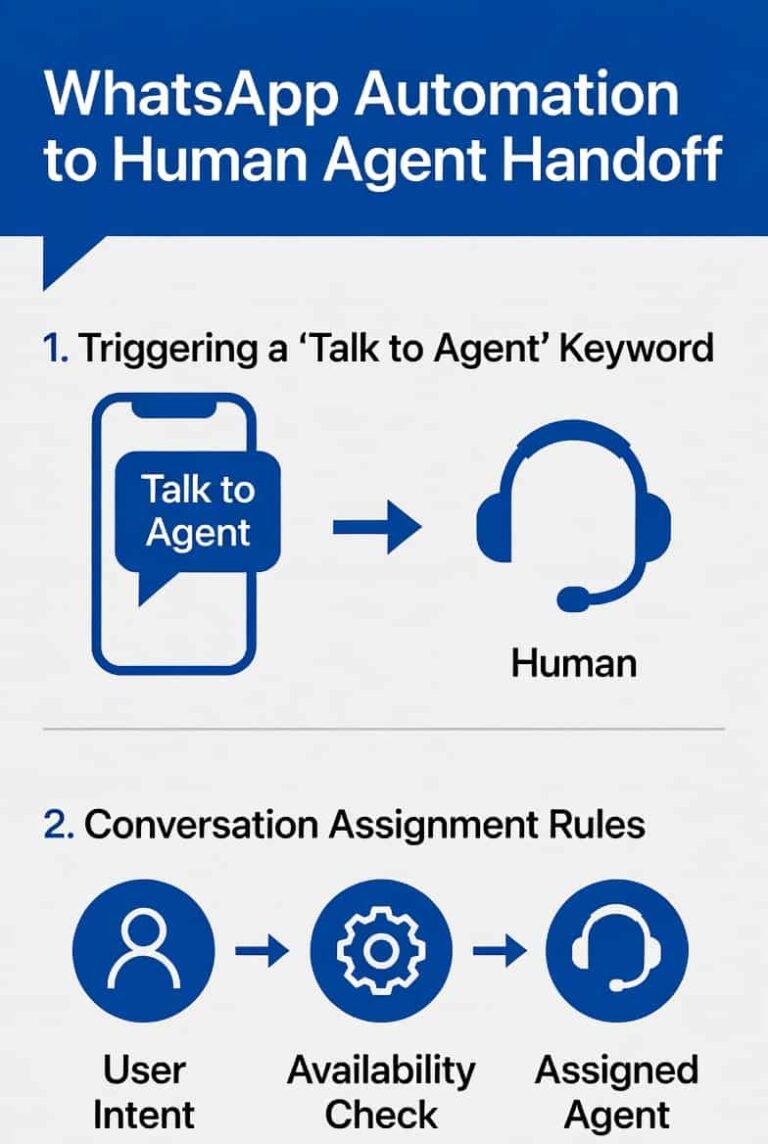
- Team inboxes: Use WATI, Trengo, or Respond.io to assign chats to specific agents
- Canned replies: Pre-write answers to the 10 most common questions
Sending Catalogs & Payments in Chat
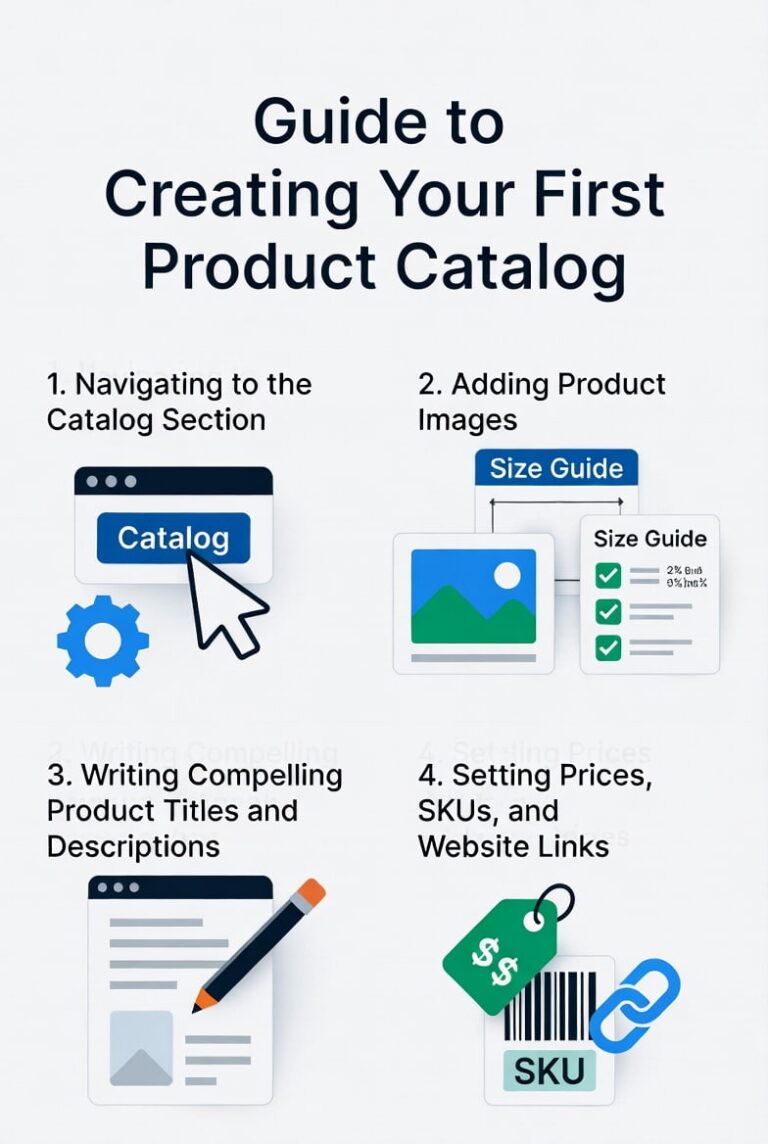
WhatsApp Business supports native product catalogs. Share up to 30 products directly inside the chat thread. Users can browse, add to cart, and pay — without leaving WhatsApp.
For payments, integrate WhatsApp Pay (available in India and Brazil) or link to Stripe/PayPal checkout pages shared in-chat.
Tracking Ad Performance & Attribution
The biggest challenge with Click-to-WhatsApp ads is attribution. Conversations happen off-platform. Standard pixel-based tracking does not follow the user into WhatsApp.
Here are 2 proven solutions.
Solution 1: UTM Parameters
Append UTM codes to every WhatsApp link in your ads. This tells you exactly which ad, campaign, and platform drove each conversation.
| 📊 UTM Structure Example Base link: https://wa.me/1234567890 Instagram Summer Ad: https://wa.me/1234567890?utm_source=instagram&utm_medium=social&utm_campaign=summer_sale&utm_content=reels_v2 Google Search: https://wa.me/1234567890?utm_source=google&utm_medium=search&utm_campaign=brand_keywords |
Back this up by asking in the bot’s first message: ‘Quick question — how did you hear about us?’ This captures attribution manually for users who open WhatsApp directly.
Solution 2: BSP Tools & CRM Integration
Business Solution Providers (BSPs) like WATI, Zoko, and Trengo offer click ID tracking. They capture the ad click ID from Meta or Google and match it to the conversation and eventual deal value.
This gives you true end-to-end attribution: ad click → conversation → deal closed → revenue attributed to ad spend.
Platform Comparison: Click-to-WhatsApp Ads
| Platform | Best For | Ad Format | Avg. CPL vs. Standard | Attribution Ease |
| Meta (Facebook/Instagram) | Awareness + Conversion | Feed, Stories, Reels | −35% to −50% | ★★★★★ |
| Google Ads (Search) | High-intent leads | Search Extensions | −20% to −35% | ★★★★☆ |
| TikTok Ads | Gen Z + Millennial reach | In-Feed, Spark Ads | −15% to −30% | ★★★☆☆ |
Case Study: Luxury Safari Travel Company
🌍 Scenario
A luxury safari travel company selling East Africa trips (average deal value: $12,000+). They were running Dynamic Product Ads on Meta, but their landing page had a 78% bounce rate and a $420 cost-per-lead.
⚙️ Action
They shifted 50% of their Dynamic Product Ad budget to Click-to-WhatsApp ads. They deployed a WATI bot to ask 2 qualifier questions:
- “What destination interests you most? (Kenya / Tanzania / Rwanda)”
- “When are you hoping to travel? (Within 3 months / 3–6 months / 6+ months)”
📈 Results (After 60 Days)
- Sales increased 2.9× vs. the same period prior year
- Cost-per-lead fell 40% (from $420 to $252)
- Sales cycle shortened by 3 days due to instant engagement vs. email follow-up
Lead-to-close rate improved from 6% to 14% (pre-qualified via bot)
Frequently Asked Questions (FAQ) – People Also Ask
Q: Do I need a WhatsApp Business Account to run these ads?
Yes. All 3 platforms route clicks to a WhatsApp Business Account (WABA). You can create one free via the WhatsApp Business app or via a BSP like WATI or Zoko for advanced features.
Q: What is the minimum budget to test Click-to-WhatsApp ads?
Start with $15–$30/day on Meta for meaningful data. Google Search requires a minimum of $20–$50/day due to keyword competition. TikTok performs well at $20/day with strong creative.
Q: How do I prevent lead quality from dropping?
Use a 2–3 question bot qualifier immediately after the first message. Filter by budget and timeline. Only route leads matching your ICP (Ideal Customer Profile) to human agents.
Q: Can Click-to-WhatsApp ads work for eCommerce?
Yes — especially for high-AOV (average order value) products or custom orders. Fashion, furniture, jewelry, and electronics brands use these ads to handle size, customization, and availability queries before checkout.
Q: How do I track ROAS (Return on Ad Spend)?
Use a BSP tool that syncs click IDs with deal values in your CRM. Alternatively, tag every WhatsApp conversation with a UTM source and log deal values manually. Most brands achieve 3:1 to 8:1 ROAS on Click-to-WhatsApp campaigns after 60 days of optimization.
Key Takeaways
| ✅ Summary: What You Need to Remember 1. Click-to-WhatsApp ads bypass the landing page and drive users directly into conversation — reducing friction and boosting conversion rates. 2. All 3 platforms (Meta, Google, TikTok) support WhatsApp as an ad destination, each with unique setup steps and creative requirements. 3. The post-click experience (bot qualifier + welcome message + fast response) determines whether the conversation converts. 4. Attribution requires UTM parameters + manual bot capture + BSP CRM integration for full end-to-end tracking. 5. Brands that prioritize conversation over clicks consistently outperform those running traditional landing page funnels. |
Conclusion
The Click-to-WhatsApp model is not a trend. It is a structural shift in how buyers and brands interact in 2026. Expensive paid traffic deserves a better destination than a static page with an 80% bounce rate. The brands winning today route that traffic into real, instant, personalized conversations.
Meta, Google, and TikTok all offer the infrastructure. WhatsApp provides the channel. Bots and CRM tools handle the scale. The only missing piece is your strategy.
Ready to build your full-funnel WhatsApp strategy? Start by setting up your first Meta Messages campaign today — and watch cost-per-lead fall while conversion rates climb.
References: Ads that Click to WhatsApp | Start new customer conversations, Get Started: Ads that Click to WhatsApp | Boost lead generation, Create Ads that Click to WhatsApp in Ads Manager | Meta Business Help Center
Last Updated: 11th of March 2026